An app for one
A weekly Apple Health summary I could trust grew into the food tracker I use every day. Coding agents wrote most of it; what they could not supply was the domain, and a clear statement of what correct looks like.

At the end of August I wanted something fairly simple: a weekly summary of my Apple Health data that I could paste into a conversation with an assistant and trust. My first attempt was an Apple Shortcut, and after spending a few hours on it, its numbers still did not match the Health app, with Steps and heart rate variability (HRV) the main problems. If I could not be confident in the input I was giving the assistant, what's the point of asking for recommendations?
In the previous post I described PacePrompt, a treadmill app built from a Bluetooth specification. This post is about the app that started the whole set, an app that grew out of the original health summary export idea.
Eleven weeks later that small utility has become a food intake tracker that I use every day and am still building, with its own versioned food log, barcode and search routes and readers for nutrition labels. It also writes a daily export to Google Drive that two scheduled agents use to plan my exercise and review my food. I doubt anyone else needs this exact app, and that is the point of this series: with coding agents doing most of the implementation, an app built around one person's unusual needs is now a realistic project for one person, provided that person knows the domain and can state clearly what correct looks like.
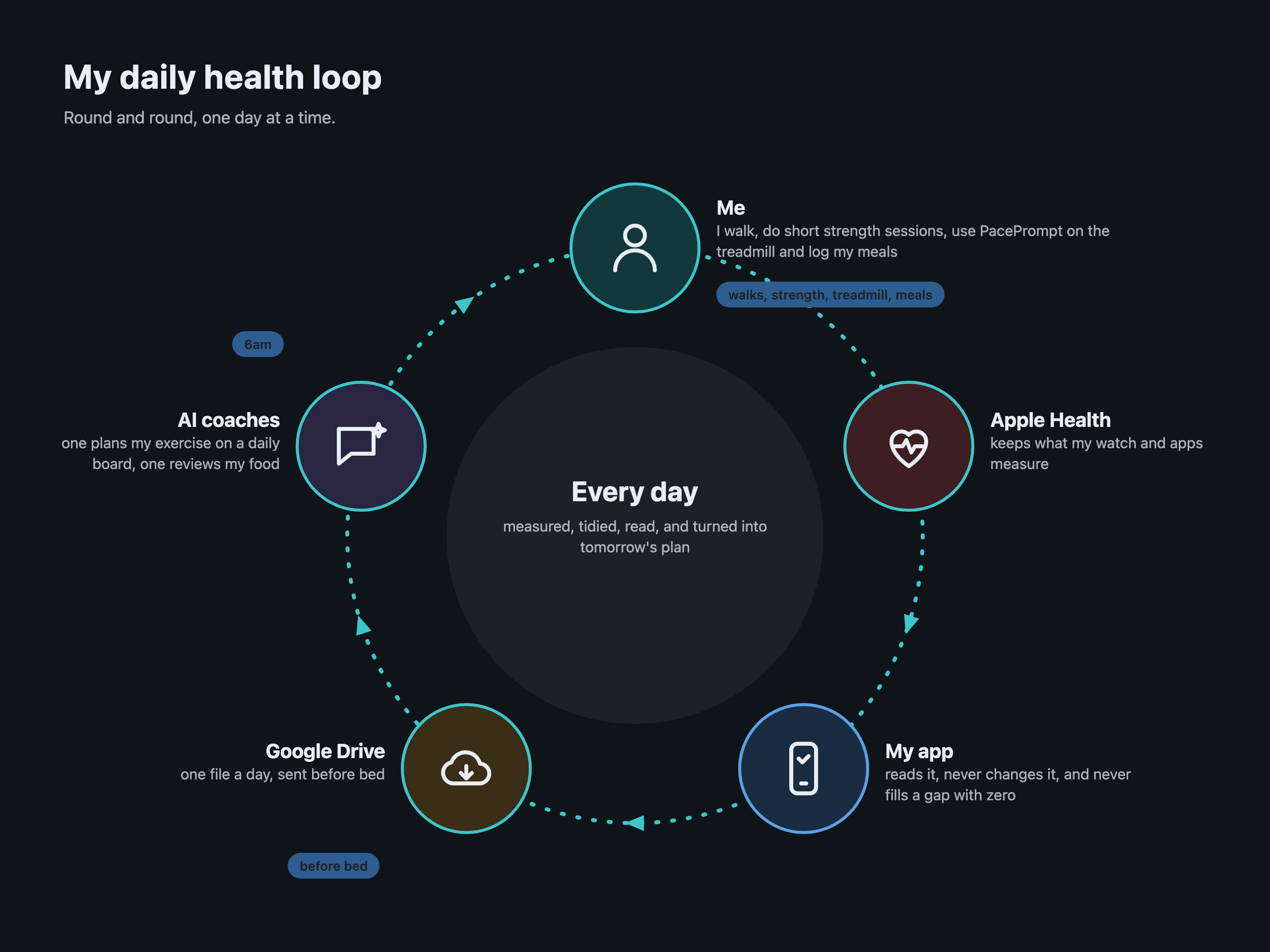
I will cover how the idea was stated at the start, how it grew from a weekly export towards a food tracker, how much of my own time it actually took, and what remained hard despite clear ideas.
What does correct mean?
For the first prompt I gave Codex on 25 August, I used another assistant on purpose: in an exploratory chat I talked through what I needed and had it turned into one consistent brief, which I pasted in under "Let's plan this:". It was about 13,800 characters long, written as a brief to a senior iOS engineer, and most of it was not about code. It said the most important requirement was correct HealthKit aggregation, and then spelled out what correct meant for each metric:
- the default period is the last seven completed days, from local midnight to local midnight, so that a partial current day cannot contaminate the comparison between weeks;
- steps use HealthKit's own statistics, never a hand-made sum of iPhone and Apple Watch samples;
- HRV and resting heart rate are averaged within each day first and then across days, so a day with many readings does not dominate;
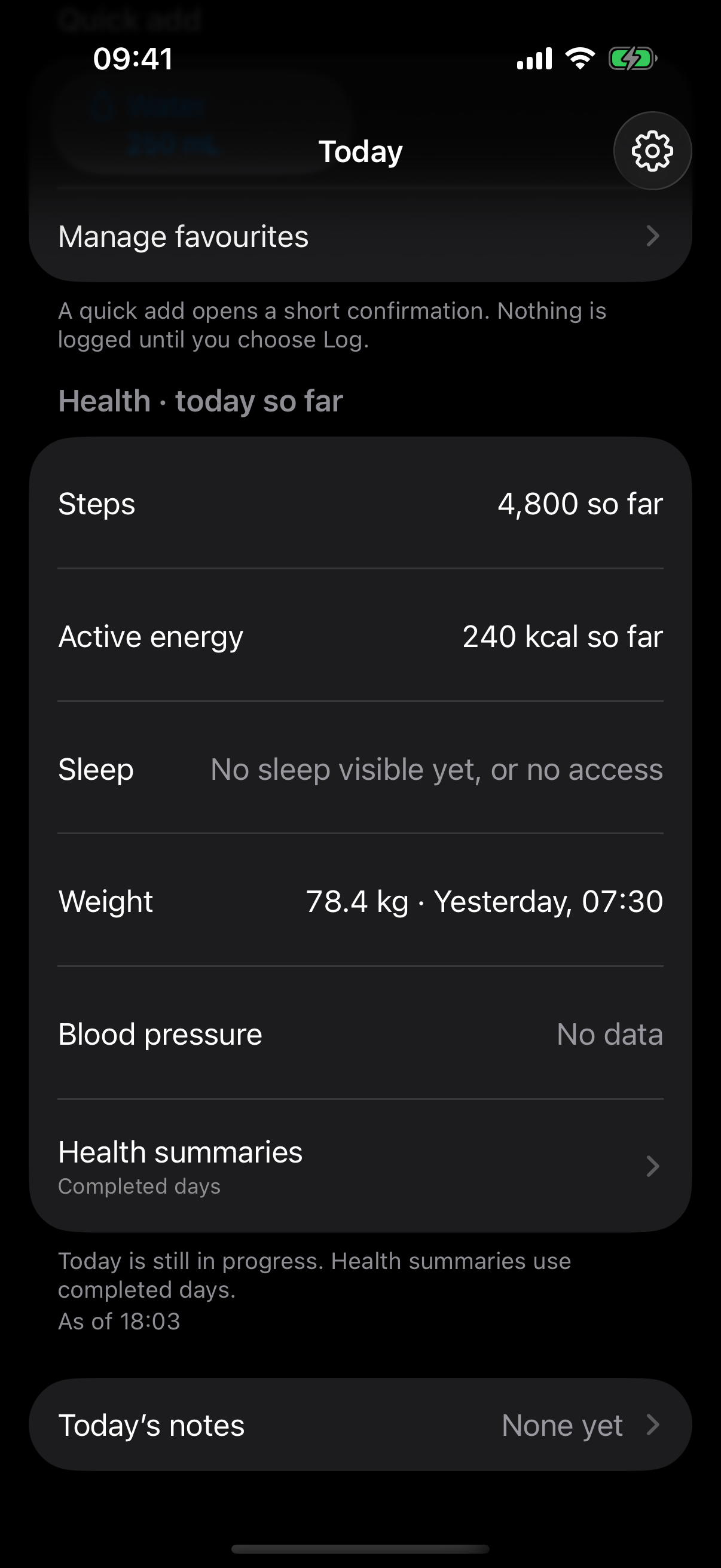
- when there is no data, the app says "No data" rather than zero, and it distinguishes no samples, no permission and a failed query where HealthKit allows it;
- a diagnostics screen shows the per-day values, so every figure can be compared with the Health app before it is trusted.
It also set the boundaries: local only, read-only access to HealthKit, no accounts, no cloud and the clipboard as the only export. I created the GitHub repository four minutes into that session, the first commit validated Steps alone, and the same evening I compared the app's weekly average against the Health app on my phone. The average steps were off by one at first, and a few minutes later all of the values matched.
Nearly every correctness rule in that prompt is still in the repository's agent instructions today, phrased almost the same way. The scope boundaries had a different history: apart from read-only access to HealthKit, which has not changed, each of them was relaxed later, deliberately and through a written contract, starting with export to Google Drive in early September and later adding model providers.
Agents can't guess domain knowledge
Much of my contribution after the first prompt was small corrections that only the person using the data could make. A few examples from the transcripts:
- body fat comes back from HealthKit as a fraction, so a value such as 0.25 means 25%, and the report needed to say so;
- blood pressure is measured in morning and evening sessions of several readings, so readings are grouped into those sessions, and systolic and diastolic values stay together as pairs;
- I weigh myself once, when I wake up, so the daily export carries one timestamped weight rather than an average;
- waist is measured irregularly, so the report shows the latest measurement with its date, never an average, and a trend only when there is a measurement from about four weeks earlier;
- when I log an egg I weigh it after peeling and cooking, so the food flow had to treat the weight as eaten;
- dark chocolate at 70% and at 100% cocoa are different foods, so generic matches are ranked by cocoa percentage, and a French reference table (Ciqual) was added for the ones the other sources did not cover;
- Greek yoghurt and Greek-style yoghurt are different products, and "1/2", "0.5" and "half" must mean the same thing.
None of these is difficult once stated, and apart from the body fat unit, which Apple does document, none of them would be found by reading documentation. They are the kind of detail that decides whether a personal app is trustworthy, and they come from the person who uses the data.
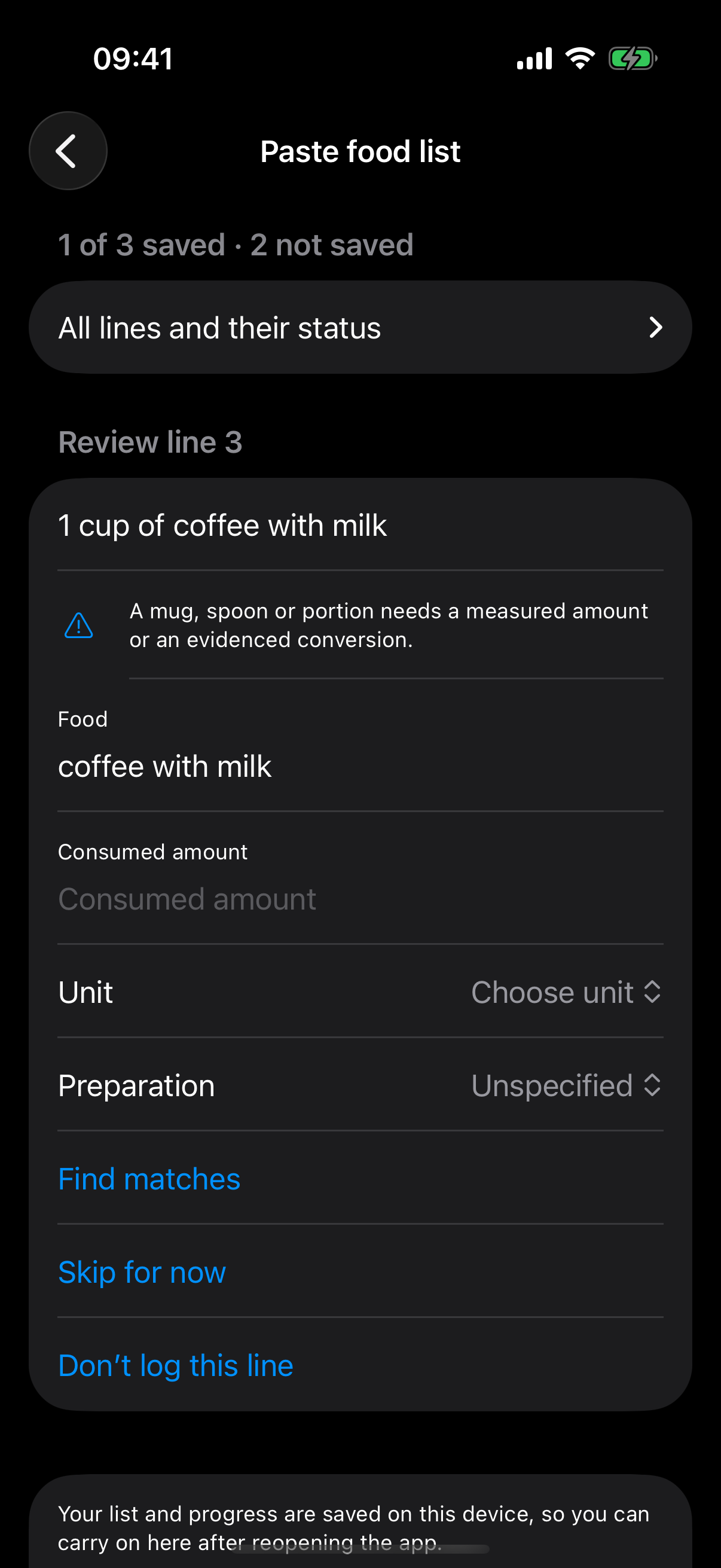
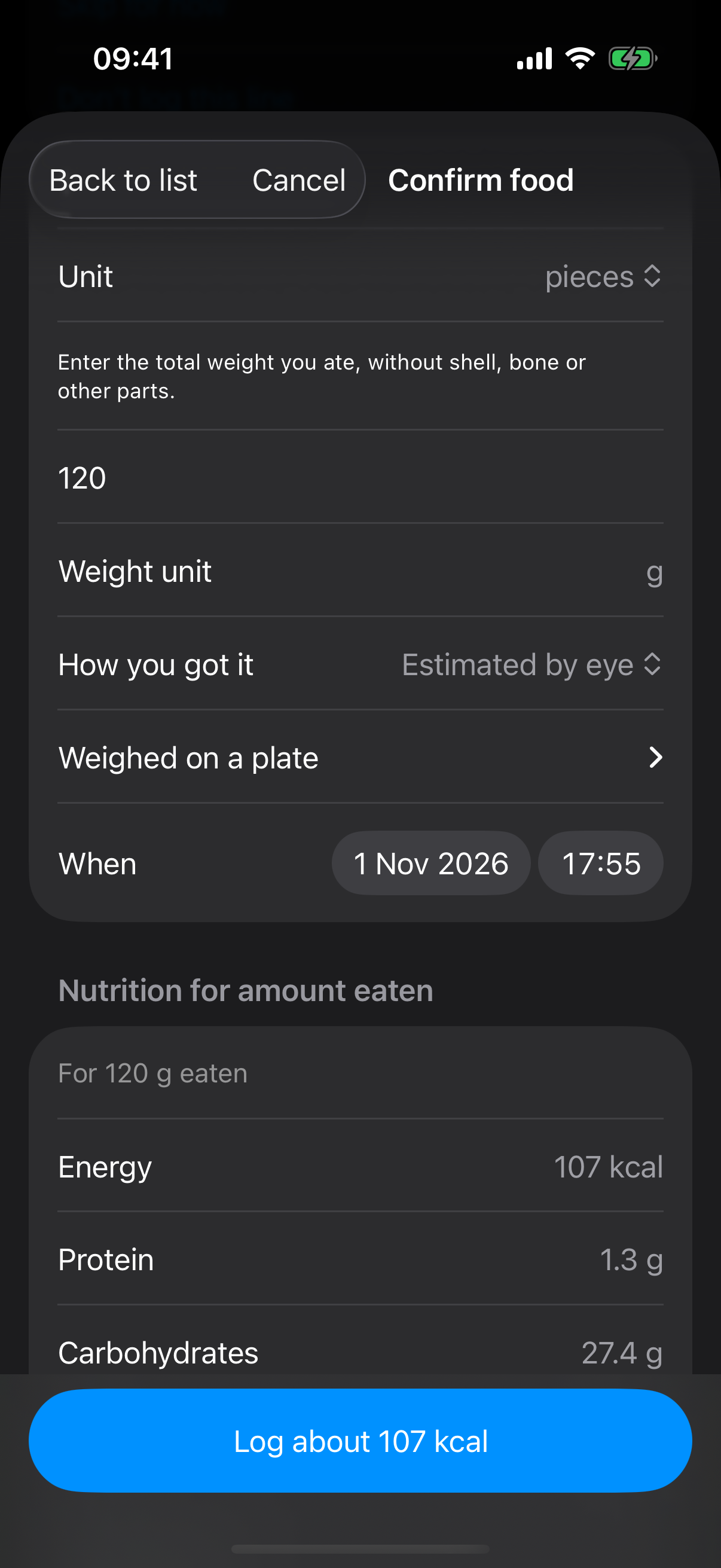
A weekly health export utility transforms into a food intake tracker
The app grew in steps, and each step came from using it rather than from a roadmap.
A daily file for a coach. On 6 September I asked for a daily JavaScript Object Notation (JSON) file in Google Drive, so that an assistant in Claude Cowork could build the next morning's 06:00 exercise plan from it. I export before bed, the coach reads the file at six, and each export replaces that day's file. I also asked for the app's own trends to be included, because they are deterministic and derived from Apple Health, so the coach should consume them instead of recalculating them. A week later I clarified that only the JSON is read by an agent, while the copied text report is for me.
Food from another app, then from notes. On 8 September the first food data arrived indirectly: a nutrition app I used wrote to Health, so the export read dietary data from that single chosen source to avoid double counting. The food coach's own record dates the next change to 22 September, when I dropped that app and started writing what I ate into the free-text notes in the daily export instead.
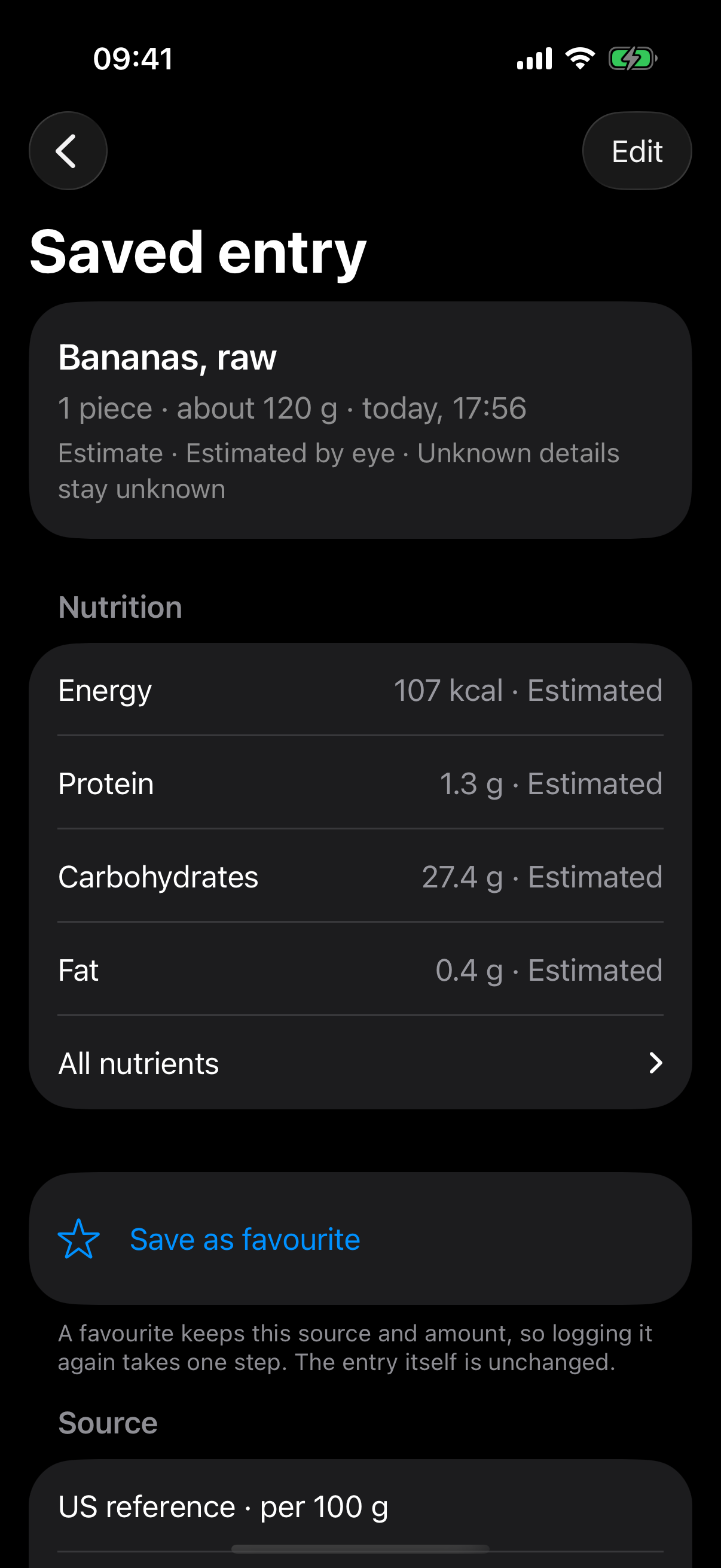
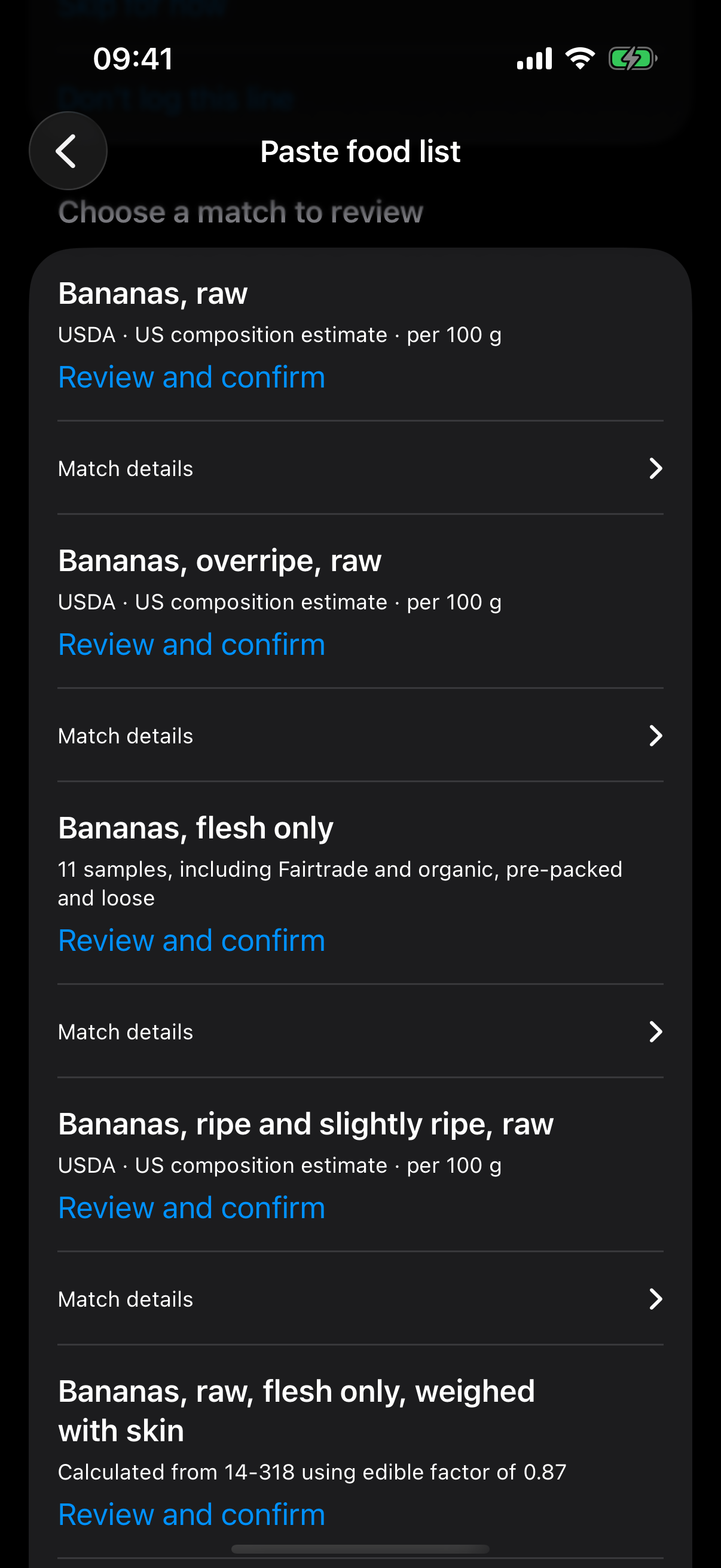
A food log of its own. On 19 September I brought Codex a research brief for the next idea. Its central argument was that the app should capture exactly what was eaten at the moment of eating and resolve the nutrition later from the best available sources, because the real risk is a confident wrong match. One line from it shaped the design: a design that cannot decline to answer is not acceptable. The next day I rejected a manual-entry-first version outright ("No manual entry acceptable"), and the food log was built around barcode, search and label routes with an explicit confirmation before anything is saved.
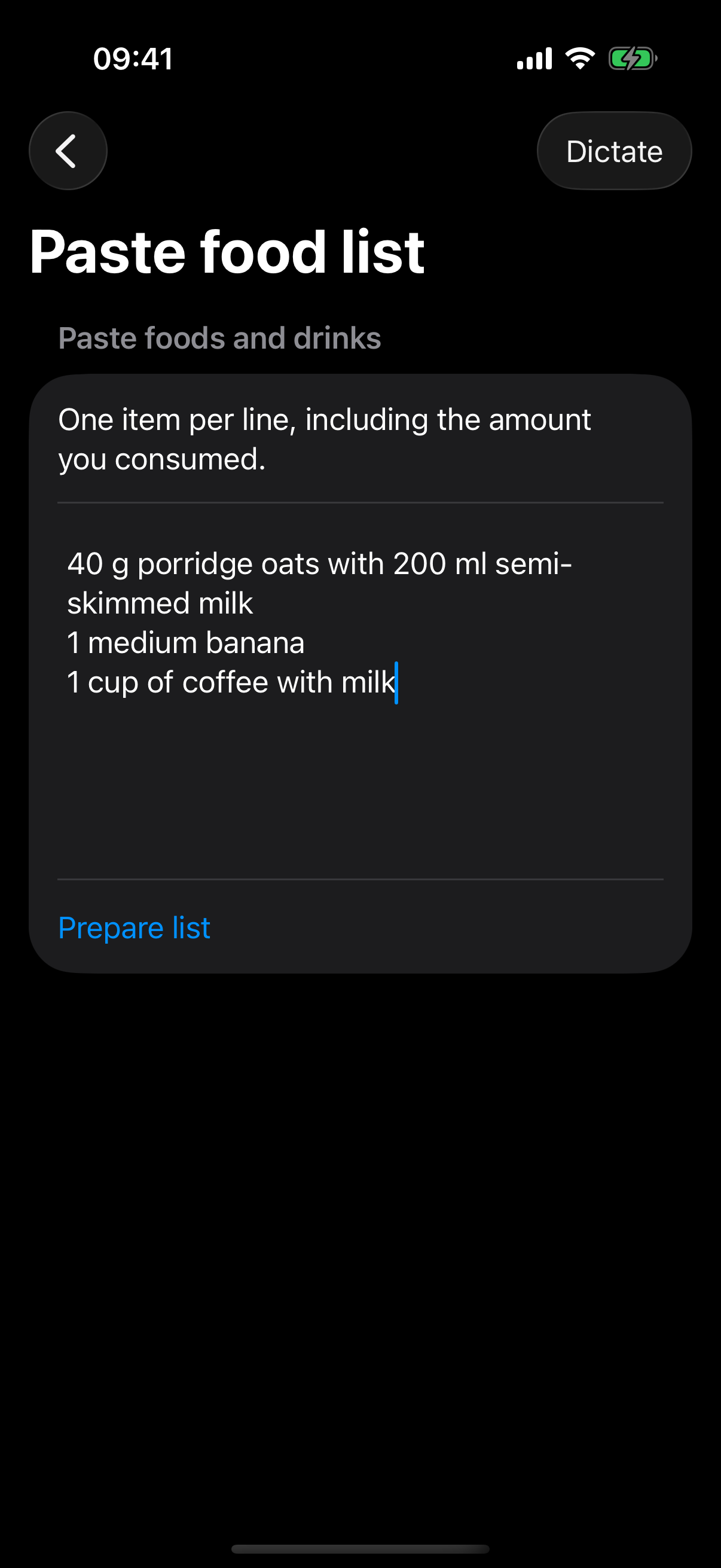
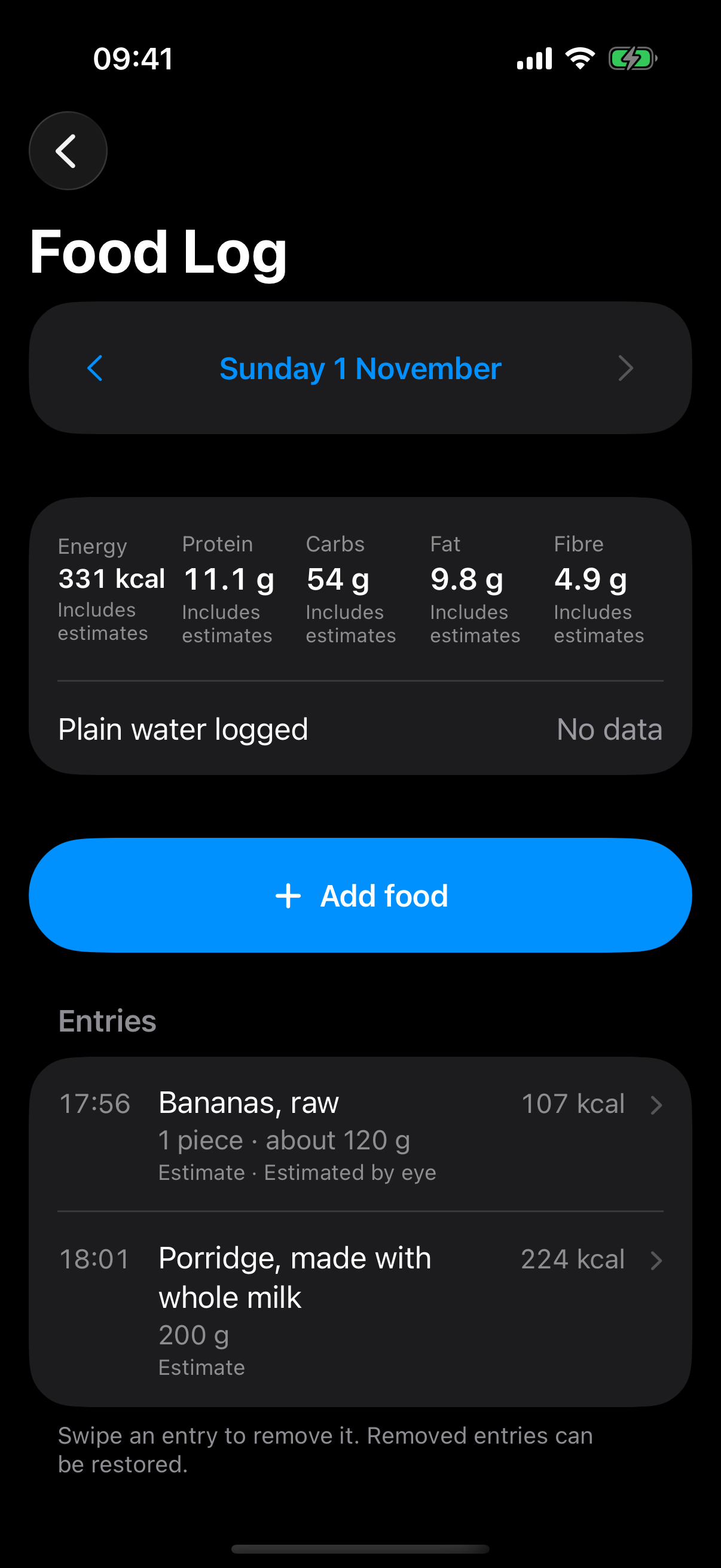
Making it usable every day. After an internal TestFlight build on 26 September the home screen became a summary of the day's intake, and in October a design revamp with Claude Code turned the collection of verification screens into one journey: add food, confirm, log. I spent three weeks in Taiwan, so Taiwanese foods and nutrition labels were added, with an offline catalogue of common foods, followed by a reader for pasted Taiwanese label tables and an assistive photo route that pre-fills a label for me to check, built but not yet switched on.
Treadmill detail. In October the export started to carry each treadmill interval from PacePrompt, with the heart rate the Watch recorded for it. That way the coach can see a hill as a hill rather than one long walk. It was verified on the phone and has been live since early November, and the daily exports in Drive since then carry it.
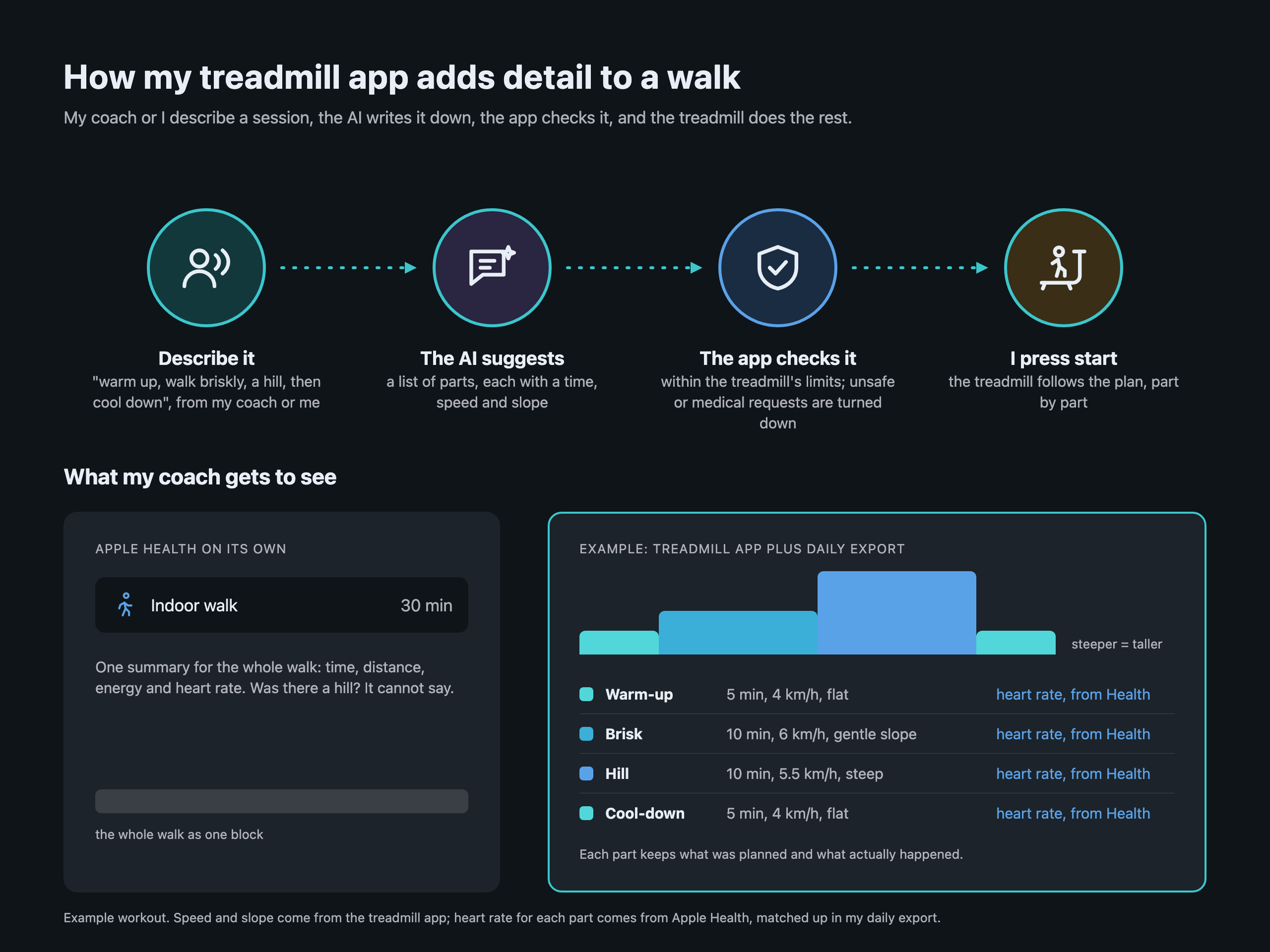
A separate food file. The food log now has its own daily file in Drive, kept apart so the health export stays unchanged byte for byte. Since early November the log has been part of my daily routine, and that file is now the food coach's main input.
Seen from the end, the scope widened a great deal. Seen from inside, each step was a small, specific need: a coach that needs a file, an egg that needs a weight, a label in a language the databases do not cover.
Who consumes the export files?
The two coaches in Claude Cowork are the subject of the next post, but one exchange with them belongs here because it says something about domain rules.
When I asked the food coach what single change to the export would help it most, it asked for a per-nutrient flag saying whether a day's total is complete or only a known minimum, ideally with a count of the entries that lacked the value.
Without ever seeing it, the coach had asked for something the app's own food file already provides: each nutrient there carries a state, a count of incomplete contributions and a note that unknown is never zero. From late September until November its food record was my free-text notes, so every figure it derived from them was labelled an estimate. Since early November it has read the food file instead.
The rule I set in the first prompt, that no data is not zero, turned out to be exactly what a careful reader on the other end needed.
How much of my time it took
The transcripts make this easier to estimate than memory would. With Codex, from late August to early October, I sent about 1,085 messages; the early ones were long specifications, and later ones were mostly short reports from testing on the phone. With Claude Code, in its first three weeks, my messages had a median length of five or six words, and most of the multiple-choice questions it asked took one tap to answer.
Short messages do not mean the work was free. The time went on what only I could do: testing on the device, checking nutrition values against forty real labels, deciding which approvals to give and checking releases. Outside those sessions it was usually a few minutes at a time, often from my phone.
What was still hard
There have been challenges along the way:
- the iOS Files route to Google Drive failed in device tests, with Drive greyed out as a target and duplicate files, so export moved to direct Drive consent limited to the files the app creates;
- on-device dictation deleted earlier text after a pause, and the fix took a scripted on-device test before it settled;
- an overnight automatic export was shelved because HealthKit reads can fail while the phone is locked;
- reading nutrition labels automatically failed the bars I had set in advance, more than once: first with on-device text recognition, then with cloud models, and in early November with two versions of a rule-based reader for pasted UK labels, which never produced a wrong value but declined 20, then 19, of 24 fresh labels. I parked further rule-based parsing (the shipped Taiwanese reader stays as it is), and the design became one where a model pre-fills and I confirm, built but not yet switched on for photos and still being evaluated for pasted text (the earlier label evaluations are in the last post of the series);
- the first TestFlight setup involved a developer membership renewed under the wrong entity and a bundle identifier that was already taken.
Few of these were about writing code; most sat at the edges of the platform, or in the gap between a clear rule and a measurement that confirms it.
Recommendations for someone starting their own
I would start where the Shortcut's wrong numbers pushed me: get what correct means written down before asking for anything to be built, with an assistant turning it into a consistent brief if that helps, in the language of the domain rather than of the implementation, and include how you will check it.
Then keep using the app every day, because almost every useful change came from noticing something small while using it. And when other agents consume what the app produces, treat the export as a contract with its own rules, because those rules decide how much a downstream agent can trust what it reads.
The next post looks at those downstream agents: how two scheduled coaches use the export to keep an eye on my training and food, and why most of what makes them useful is a set of rules about what they must not do.
Illustrations made with Claude Design; screenshots taken in the iOS Simulator with sample data. They are there to illustrate, and they do not prove that I drink coffee with milk.